Academic libraries may wish to use hard due dates to truncate due dates to the end of a semester or allow particular material to go out for an entire semester. See the section called “Understanding Your Circulation Policies” for more information on how how hard due dates are applied to circulations.
Local system administrators at academic libraries can view existing hard due dates and add new values to them. To add a brand new hard due date, you will need to contact Co-op Support.
Local system administrators can view existing hard due dates for your library.
- Go to Administration → Server Administration → Hard Due Date Changes.
Hard due dates are displayed for your workstation’s library. Multi-branch libraries need to set the library to their system in the library selector and check the box to display descendants.
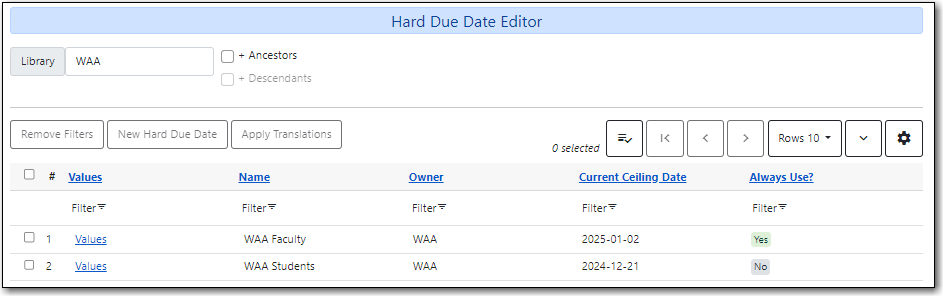
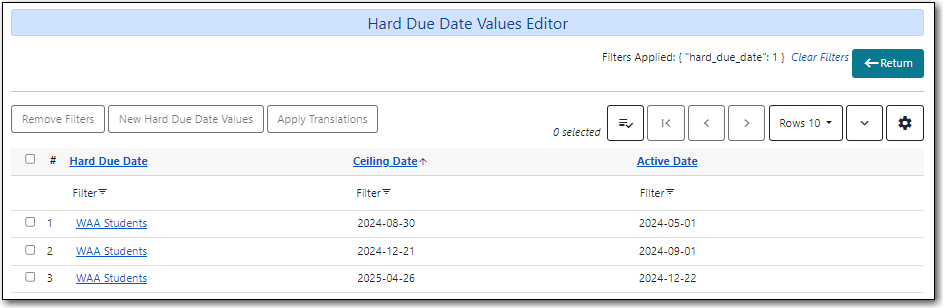
To see past and upcoming dates for a specific hard due date, click Values on the applicable line.

The dates will display.
If you already have a hard due date established, local system administrators can add new hard due date value for your library.
First, update the ceiling date.
Go to Administration → Server Administration → Hard Due Date Changes.
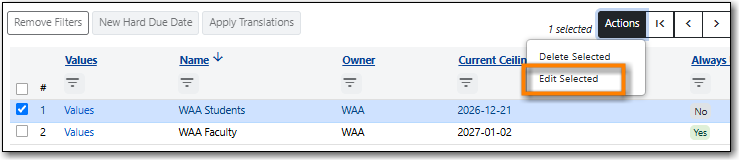
- Check the checkbox of the rule you want to edit.
Click Actions → Edit Selected.
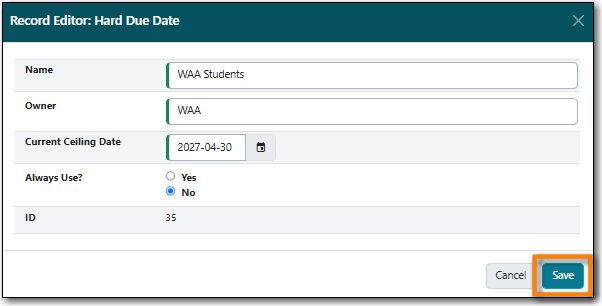
- Enter the new hard due date in the Current Ceiling Date field.
Click Save.
Next, add the new hard due date value.
Click the Values link for the rule you want to update.
Click New Hard Due Date Values.
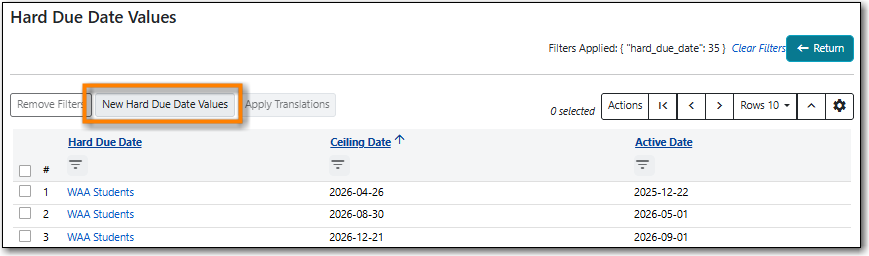
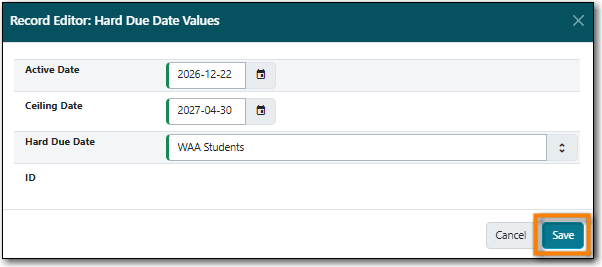
- Enter the date that the new hard due date becomes active in the Active Date field.
- Enter the new hard due date in the Ceiling Date field.
Click Save.
Note
You cannot submit all the hard due dates for a year at once. Using the active/ceiling date to enter all the dates for fall, winter, and summer terms will not automatically roll the date over.
To add a hard due date, please contact Co-op Support with the following:
- The initial date for the hard due date.
Who and what the hard due date should apply to.
- Refer to Understanding Your Circulation Policies for the information on the parameters you can specify.
Whether the hard due should apply all the time, or just truncate regular due dates if they would fall after the hard due date.
- Libraries can have both types of hard due dates if you’d like different scenarios to apply to different patron groups or items.

