- Select the items you would like to remove from the bucket.
From the Actions menu select Remove Selected items from Bucket.
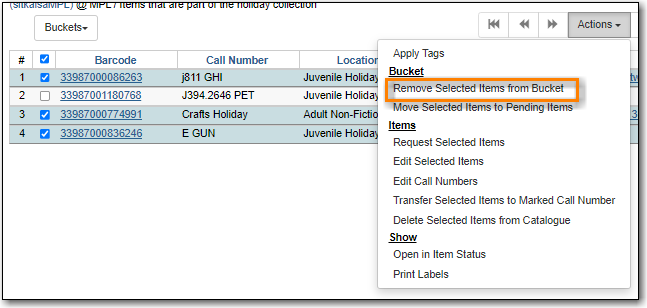
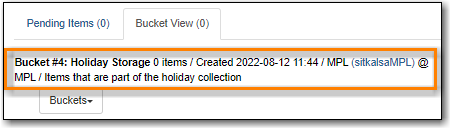
- The items are removed from the bucket.
- Select the items you would like to move to another bucket.
From the Actions menu select Move Selected Items to Pending Items.
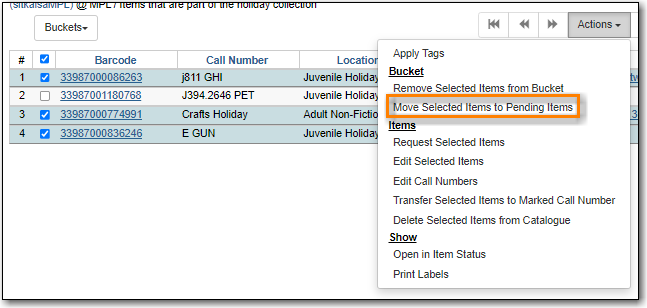
The items have been removed from the current bucket and moved to the Pending Items tab.
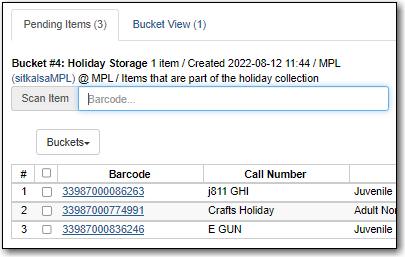
- The items can now be added to a different bucket.
- Select the items you would like to edit.
From the Actions menu select Edit Selected Items or Edit Call Numbers.
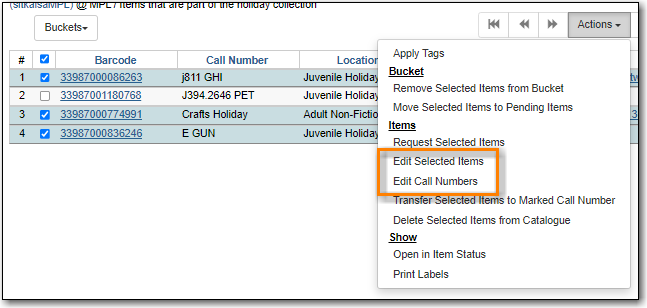
- The Holdings Editor will open in a new tab.
- Retrieve the record with the call number the items should be transferred to, then go to the Holdings View tab of the record, select the call number, and Mark Library/Call Number as Transfer Destination; see the section called “Transferring Items”.
- Retrieve a bucket with items to be transferred; see the section called “Retrieving Shared Buckets”.
- From the bucket, select the items you want to transfer to the marked call number.
From the Actions menu, select Transfer Selected Items to Marked Call Number.
IMAGE
- The call numbers for the selected items will be updated.
- Select the items you would like to print labels for.
From the Actions menu select Print Labels.
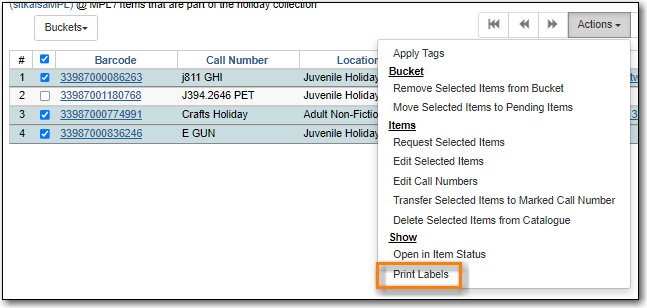
- The Item Label interface will open in a new tab.

