Table of Contents
The Patron Deletion Tool developed by the Sitka team allows local system administrators to delete inactive cards and patron accounts while retaining statistics.
Note
Library staff can only delete cards and accounts for patrons whose home library is their library or one of their branches. In some cases staff may need to update a patron’s home library in order for an account to be deleted.
Scenario | Action |
An active patron lost their library card and was issued a new one using the Replace Barcode function. | |
A patron is no longer active and their account should be removed completely. | |
An active patron has more than one account. | Merge the accounts. Choose the barcode that you want to keep as the lead record. |
The Patron Deletion Tool can be accessed from the staff client home page.
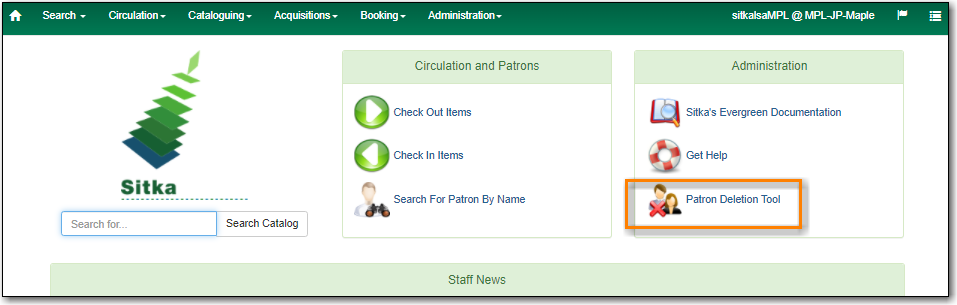
On the staff client home page click Patron Deletion Tool found in the Administration box.
The Patron Deletion Tool will open in a new tab. Enter a local system administrator username and password and click Login.