Table of Contents
Found under Shared Folders → Templates → Sitka_templates → Intra-federation ILL.
Recommended Recurrence Interval: Monthly
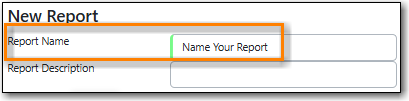
Enter a name that doesn’t include a specific date as this report will run every month. For example, "Monthly Inbound ILC", not "January Inbound ILC".
On the Filters tab, enter values for the filters.
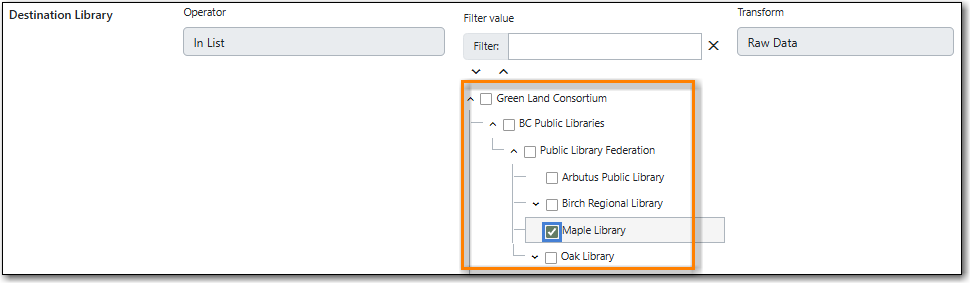
Destination Library = select your library.
Send Date/Time = check the box for Relative time value and enter 1 Month(s) ago.

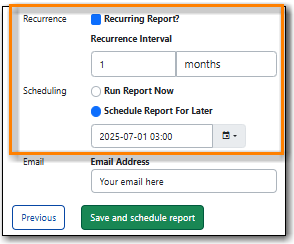
Check the box for Recurring Report.
- Set the Recurrence Interval to 1 Month(s).
Check the radio button for Schedule Report For Later.
Set the date to the first of the next month and the time to between 1:00am PT and 4:00am PT.
Found under Shared Folders → Templates → Sitka_templates → Intra-federation ILL.
Recommended Recurrence Interval: Monthly
Enter a name that doesn’t include a specific date as this report will run every month. For example, "Monthly Outbound ILC", not "January Outbound ILC".
On the Filters tab, enter values for the filters.
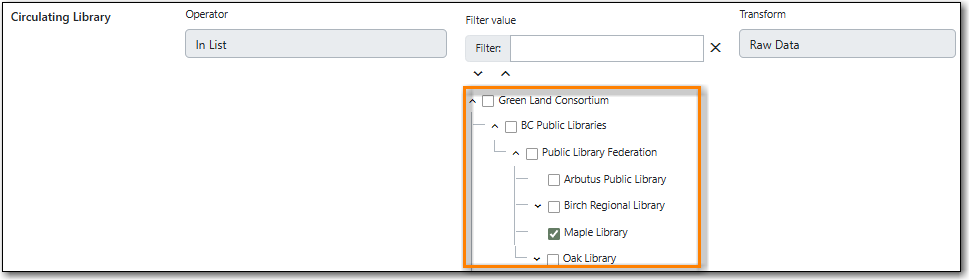
Circulating Library = select your library.
Send Date/Time = check the box for Relative time value and enter 1 Month(s) ago.
Check the box for Recurring Report.
- Set the Recurrence Interval to 1 Month(s).
Check the radio button for Schedule Report For Later.
Set the date to the first of the next month and the time to between 1:00am PT and 4:00am PT.
Found under Shared Folders → Templates → Sitka_templates → Circulation → Monthly Circulation Stats.
Recommended Recurrence Interval: Monthly
Enter a name that doesn’t include a specific date as this report will run every month. For example, "Monthly Circulation by Circ Modifier", not "January Circulation by Circ Modifier".
On the Filters tab, enter values for the filters.
Checkout Date/Time = check the box for Relative time value and enter 1 Month(s) ago.

Checkout / Renewal Library = select your library and/or your branch(es)
Check the box for Recurring Report.
- Set the Recurrence Interval to 1 Month(s).
Check the radio button for Schedule Report For Later.
Set the date to the first of the next month and the time to between 1:00am PT and 4:00am PT.
Found under Shared Folders → Templates → Sitka_templates → Circulation → Monthly Circulation Stats.
Recommended Recurrence Interval: Monthly
Enter a name that doesn’t include a specific date as this report will run every month. For example, "Monthly Circulation by Shelving Location", not "January Circulation by Shelving Location".
Checkout Date/Time = check the box for Relative time value and enter 1 Month(s) ago.
Checkout / Renewal Library = select your library and/or your branch(es)
Check the box for Recurring Report.
- Set the Recurrence Interval to 1 Month(s).
Check the radio button for Schedule Report For Later.
Set the date to the first of the next month and the time to between 1:00am PT and 4:00am PT.

