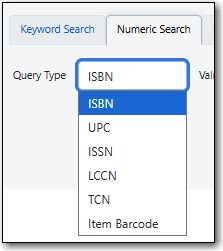
The Numeric Search pane allows you to search numerical fields in bibliographic records. You may search the following fields: ISBN, UPC, ISSN, LCCN, TCN, and Item Barcode.
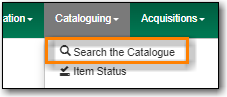
Go to Cataloguing → Search the Catalogue.
Select the Numeric Search tab. It will be open by default if it’s set as your default search pane.
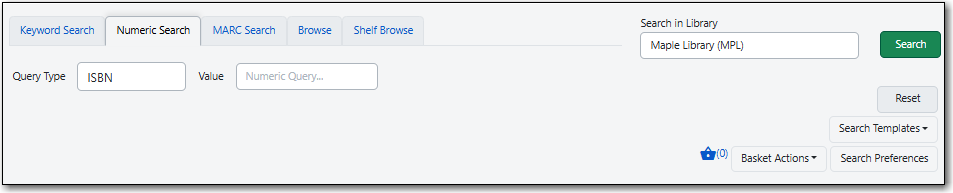
When searching it’s important to ensure that your desired search scope is set in the library selector.

(MPL is Maple Library on Sitka’s training server.)
Tip
Multi-branch libraries can search their entire system or a specific branch.
Libraries participating in reciprocal borrowing may wish to search their library or their ILC zone.
You can set your default search library for the workstation in Search Preferences.
You can search by ISBN, UPC, ISSN, LCCN, TCN, or Item Barcode.
Note
A record may have multiple barcodes on it. Item Barcode refers to the barcode created by your library. It is the barcode you scan to check an item in or out.
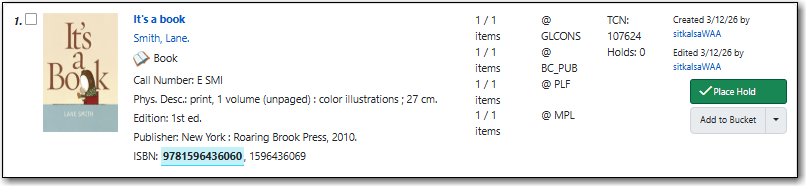
Enter your search criteria and click Search.
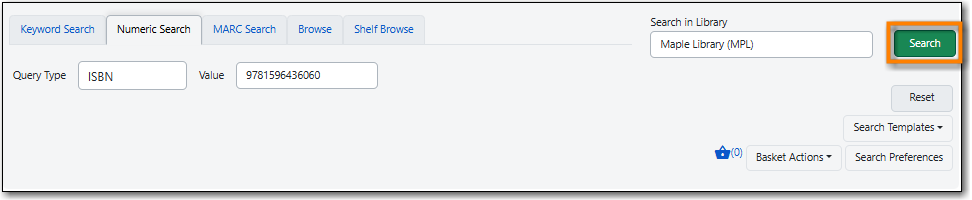
Your results are displayed. Refer to the section called “Viewing Search Results” for additional information.
Tip
- UPC’s are only recognized by the Numeric Search when the 024 indicator 1 is coded as "1" for Universal Product Code.
- If searching a LCCN do not use a hyphen, add a 0 in place of a hyphen, e.g. 2001001234.
- If an OCLC number is nine digits then Evergreen uses ocn as a prefix. For example: ocn123456789.
- If an OCLC number is less than 8 digits then Evergreen uses ocm as a prefix. In addition Evergreen will automatically prefix the number with zeros so that it is nine digits. For example: ocm01234567, or ocm00123456.

